
What makes Rekha different from other image tracers
Six things Rekha does that most image-to-SVG tools do not: real gradients, exact shapes, sub-pixel edges, clean colour boundaries, automatic settings and colour kept in small details.
Most image-to-SVG tools do the same job the same way: reduce the picture to a few colours, then draw an outline round every patch. The result looks right from a distance and falls apart when you open it. Rekha is an image tracer built to return the drawing a designer would have made, and six things set it apart. Here is each one, with what it changes in the file you get.
1. Does it keep gradients as gradients?
Yes, and this is the difference you notice first. A fade from one colour to another holds hundreds of slightly different colours. A tracer that only knows flat fills must cut the fade into bands, and every band becomes a path.
Rekha notices when neighbouring bands follow one ramp. It merges them into a single shape and fits a real SVG gradient to it: linear when the colour runs in one direction, radial when it runs out from a centre. A surface lit two ways, like a sphere with a highlight, is painted as a base gradient under one or two translucent ones, the way an illustrator would draw it.
We traced one 16-megapixel bird illustration twice with Rekha, changing only the gradients option.
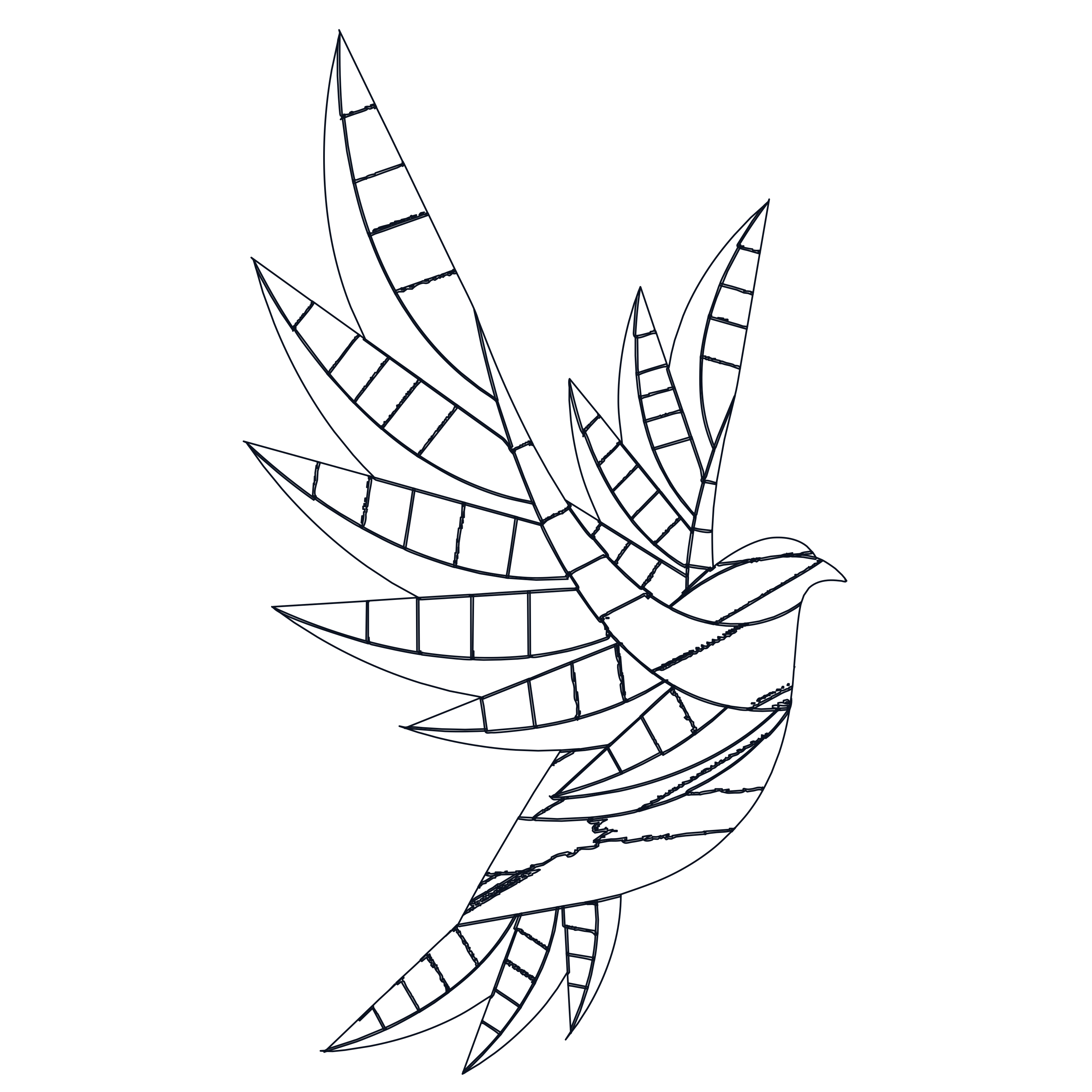
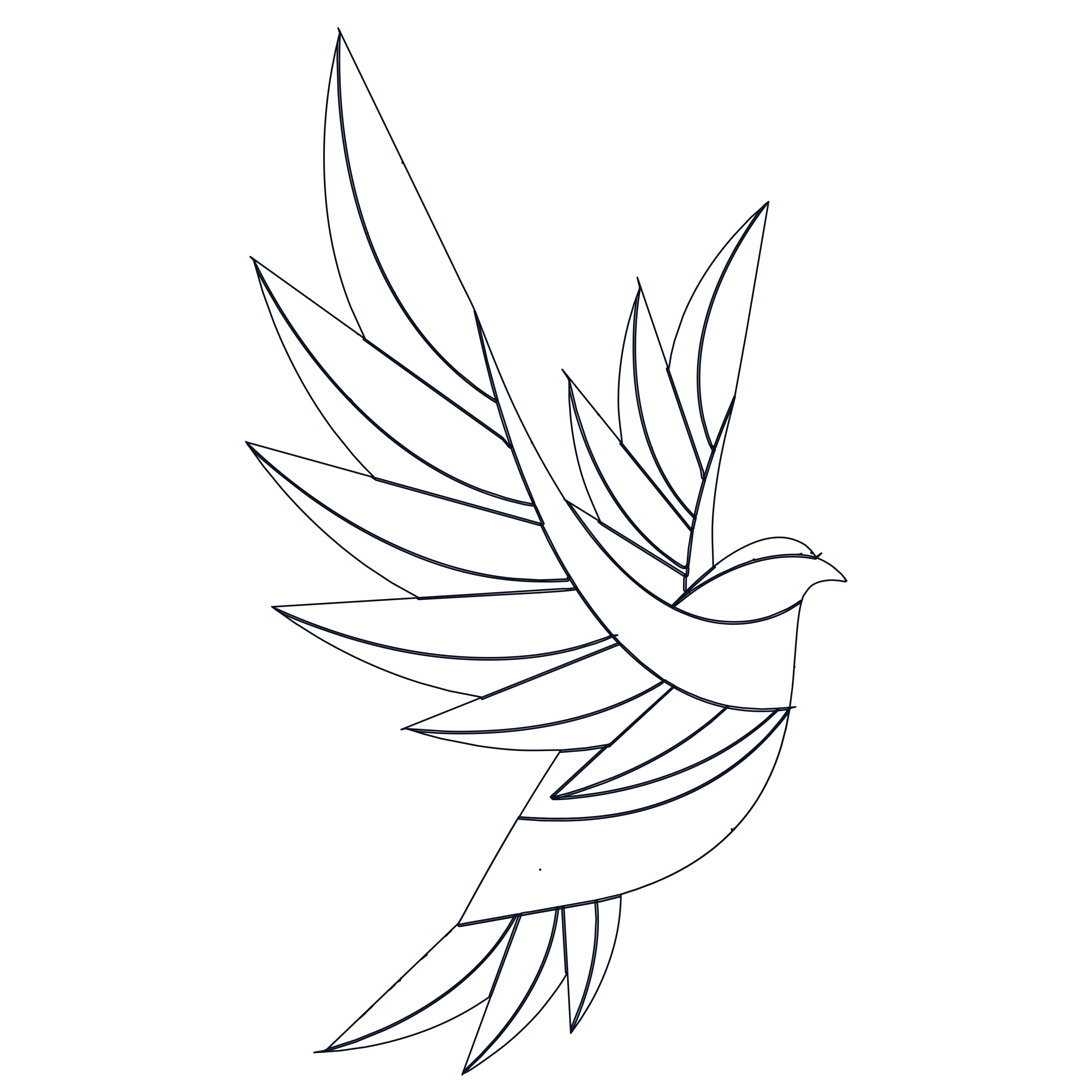
| Flat fills | Gradients | |
|---|---|---|
| Paths | 140 | 60 |
| Gradients | 0 | 20 |
| File size | 84 kB | 25 kB |
Less than half the paths and under a third of the bytes, and the feathers are smooth instead of striped. Flat artwork is untouched: with nothing to merge, the output is byte-for-byte the same with the option on.
2. Does a circle come out as a circle?
In most traced files a circle is a ring of twenty or thirty nodes that is nearly round. Scale it up and it wobbles. Try to edit it and you are pushing nodes about.
Rekha recognises the shape that was drawn:
- Circles become four exact arcs.
- Ellipses become four curves.
- Rounded rectangles become four lines and four arcs that share one radius.
- Rectangles, even rotated, become four nodes.
A recognised shape replaces the traced outline only when it fits the image at least as well, so nothing is forced into a shape it never was.
3. Are the edges where they were drawn?
A raster image stores a soft grey fringe along every edge. That fringe is not noise. It records how much of each pixel the shape covered, which tells you where the true edge ran to a fraction of a pixel.
Most tracers throw this away and follow the pixel grid. Rekha optimises every curve against it. On anti-aliased test images that adds 5 to 20 dB of accuracy for about the same number of nodes. I think this is the most underrated of the six: you do not see it at a glance, but it is why a Rekha trace still looks right at ten times the size.
4. Are there slivers between colours?
Where blue meets teal, the pixels on the boundary are a blend of the two. A naive tracer sees a third colour and gives it a thin shape of its own, so every edge in the file gains a hairline of mud.
Rekha recognises those pixels as a mixture of their two neighbours and absorbs them. Two colours, one edge, nothing in between.
5. Do I have to pick the settings?
No. Every tracer has presets and tolerances, and the right ones depend on the image. Guessing wastes time.
Rekha’s Auto mode traces the image four ways: as flat poster art, as poster art with gradients, as soft shading with gradients, and as black and white. It draws each result back to pixels, scores it against your image and keeps the closest. On a mixed set of twenty logos, cartoons and renders, Auto scored 1.7 dB above a single fixed setting on average.
6. Do small details keep their colour?
A tracer reduces an image to a short list of colours, and the list is won by the large areas. A small badge, a button or a rim light has too few pixels to earn an entry, so it gets the nearest one, which is often grey.
Rekha checks every region after the trace. If a region’s real colour is far from the colour it was given, it gets an entry of its own. A light blue badge stays light blue.
What else comes with it?
- Four formats from one trace. SVG and PDF, EPS and DXF are written from the same curves.
- The same answer every time. The same image gives the same file, on any machine.
- Open source. The tracer is written in Go and published under the AGPL-3.0, so you can run it on your own computer with no limits.
Common questions
Is Rekha better than other tracers for every image?
No. On flat artwork with hard edges, good tracers agree on the shapes and differ mostly in how few nodes they use. The gap opens on artwork with shading, round shapes and soft edges.
Can it trace a photograph?
It can, for a posterised look. Shading with more structure than a couple of light sources stays banded, and photographs rarely make useful vectors.
Where can I try it?
In the Rekha studio, free for images up to 4 megapixels and without an account. The comparison page has the measurements against other tools, and why traced gradients look banded goes deeper into the first point.